Using the Provisioning Service
Introduction
The RPS Provisioning Service is an HTTPS-based Web API hosted in IIS for use in brokering information from the RPS CMDB to a pre-execution environment such as iPXE for installation of a defined image and configuration. For instance, iPXE can be configured to "point to" the Provisioning Service which will return a boot script file for the MAC address requested. In this manner, iPXE will download and boot the image according to the script which has been defined in the CMDB.
Provisioning Service reads of RPS CMDB data
The Provisioning Service uses the RPS CMDB to query for several entity types and records:
- Target Item (i.e. MACAddress property on a NIC)
- Target Item's parent (i.e. Computer that owns the NIC)
- Resource Item that is of type BaseImage
- Resource Assignment that assigns the BaseImage to the Target Item
- The iPxeScript property on the BaseImage Resource Item
- The {CustomProperty} property on the BaseImage Resource Item
Provisioning Service writes to CMDB
In order to facilitate Target Item retrieval later in the provisioning process (including scenarios where certain environments are unable to perform requests using a URL query string with the MAC Address value), the Provisioning Service can take other inputs to be saved as properties on the parent Target Item. For instance, when iPXE first requests with its MAC Address, it can also send its SMBiosProductName, SMBiosCurrentSpeed, and provisionIPAddress, and potentially other key-value pairs. In this manner, later queries (e.g. through a Runbook) for the target without the MAC Address may be possible to uniquely identify said target.
Baremetal Provisioning Scenarios
Target found
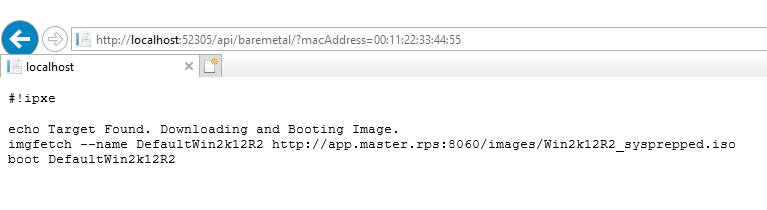
The ideal scenario consists of all records and properties being found (e.g. NIC and iPxeScript on the BaseImage). When the NIC Target Item, the Computer, and the Resource Assignment that assigns the BaseImage to the Computer are found, the iPxeScript property of BaseImage will be returned from the service:
Note
The examples include screenshots from a local iisexpress instance. When it is deployed in the RPS solution on IIS, the server and port name will ultimately differ.
In the case where the required records/properties are found, the iPxeScript stored in the CMDB is returned to the requesting client, verbatim.
When the script is executed by iPXE, the environment will attempt to download and install the image from specified in the iPXE Script.
Target found and additional query parameters added
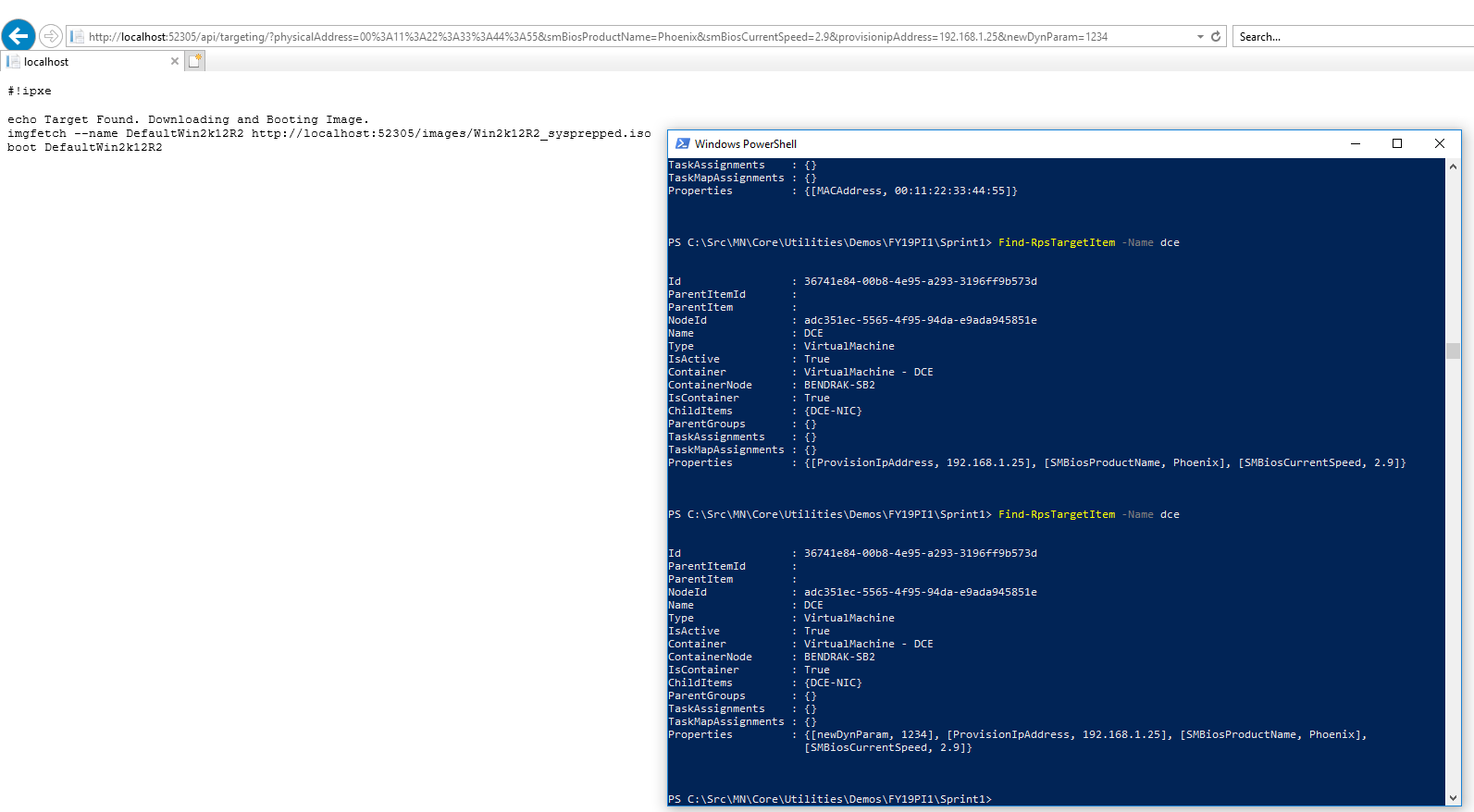
If the Target Item is found, we can also specify additional parameters to add as properties to the parent Target Item. This example shows a different browser and a different Target Found iPXE Script, and also shows where SMBiosProductName, SMBiosCurrentSpeed, and provisionIPAddress where added to the CMDB through the Provisioning Service, and then a newDynParam added as well to showcase dynamic parameters.
Note
The macAddress can be encoded with a %3A value in place of :. This is acceptable, as are : or -, so long as macAddress is explicitly specified in the URL query string.
Target not found
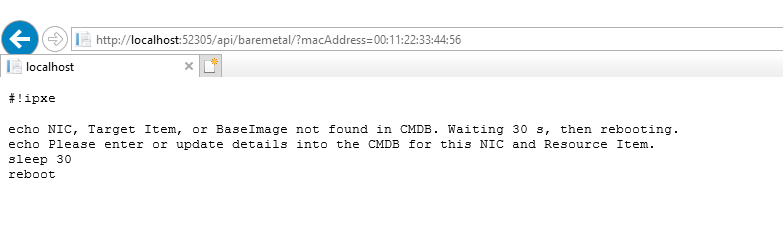
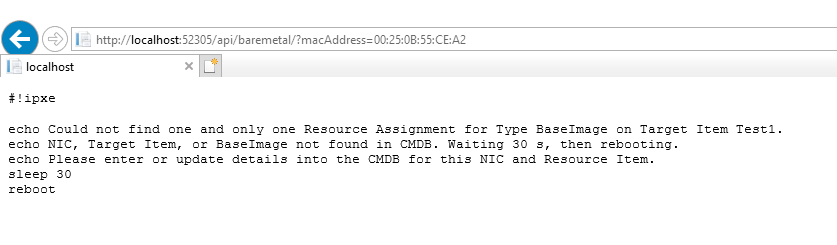
If the MAC address is not found as a property of any Target Item, a default iPXE script will be returned to the client. This script prints a message, will sleep for 30 s and then reboot:
Duplicate MAC found
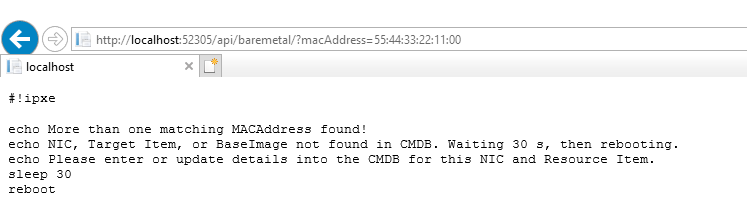
If more than one of the same MAC address is found in the CMDB, a default iPXE script will be returned to the requesting client:
Resource Assignment cannot be determined
If there is not one (and only one) Resource Assignment, a default iPXE script will be returned to the requesting client:
Installation Provisioning Scenarios
The subsequent iPXE operations, the Provisioning Service can be used to receive another scripted file for unattended installations which is commonly referred to as a Kickstart file. This script is to be hosted in the CMDB on the BaseImage, similar to the iPxeScript. Since the environment in this phase of the installation is not equipped to use dynamic parameters (such as the macAddress resolved by iPXE), the Provisioning Service will attempt to use the client's IP Address which ought to have been saved to the Target Item (e.g. DCE) during the baremetal provisioning sequence.
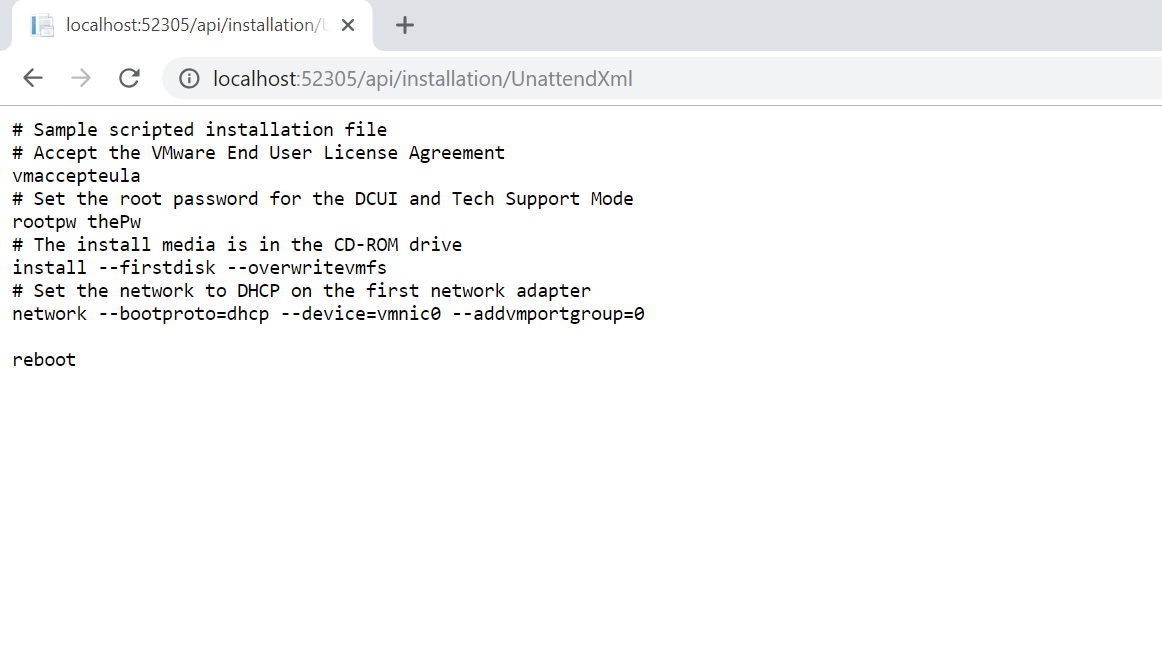
If the custom script is already stored on the BaseImage,the ResourceAssignment has a ResourceStatus of Approved and the provisionIpAddress on the Target Item matches that of the client, the client will receive this custom script, like:
Note
The Provisioning service can return any custom script. You can do this by calling https://localhost/api/installation/UnattendXml. This will return the value of the property UnattendXml stored on the BaseImage.
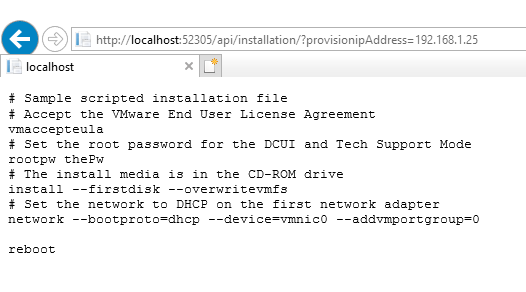
Of course, the IP Address can be specified explicitly, like:
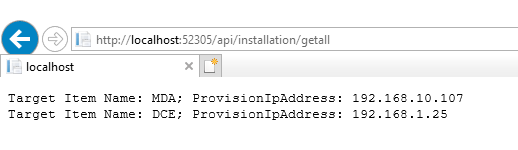
The GetAll action can also be used to see all Target Items with a provisionIpAddress:
Summary
The RPS Types have been updated to account for expected Computer definitions (e.g. MDA, DCE) as well as the Resource Item type for BaseImage. These definitions help facilitate the creation of appropriate records in the CMDB, including the customization of what is contained in the iPXE script. Without a matching Target Item (and parent Computer), and assigned Resource Item (BaseImage) in the CMDB, the Provisioning Service will default to functionality which informs, then reboots the client.
More Resources
- See the ProvisioningServiceDemo.ps1 in
Utilities\Demos\Provisioningfor examples when using RPS