How to add a Package to a Package Stream
This document describes the step by step instructions for adding a Package to a Package Stream.
Known Limitations
The maximum supported RPS Package size is 2GB. Any RPS Package zip file that is larger than 2GB will throw an exception when RPS tries to open the Package and read the manifest file from the Package zip file.
This exception can occur in two scenarios:
- When creating a new Package Stream with a Package where the zip file size is greater than 2GB.
- When adding a new Package to an existing Package Stream where the Package zip file size is greater than 2GB.
The resulting behavior:
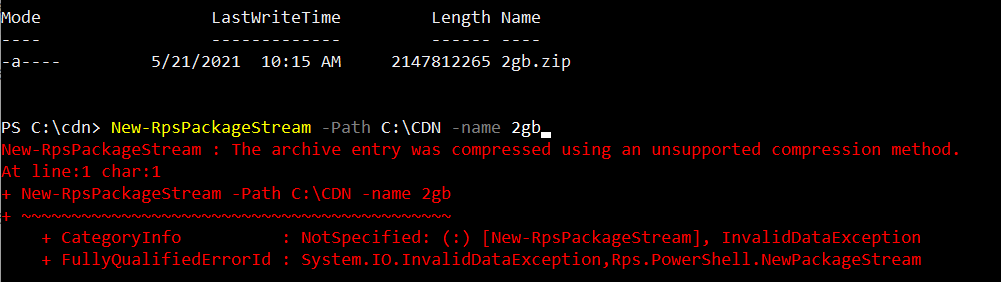
How to add a Package to a Package Stream using PowerShell cmdlets
Open a PowerShell window
Change your directory to the RPS ContentStore. For example:
cd C:\ContentStoreImport the RPS API module
Import-Module C:\ContentStore\Modules\Rps-ApiAdd the Package using the New-RpsPackage cmdlet.
Options for the New-RpsPackage cmdlet are:
Parameter Name Type Description Path string Path of the Package PackageStream string Package Stream object that the Package will be added to Example:
New-RpsPackage -Path C:\Packages\mypackage.zip -PackageStream $myPackageStream1
After the Package command has been executed the following will happen:
a. The Package item will be added to the CMDB
b. The Package file will be copied in to the CDN directory, so it is able to replicate across the CDN.